How to Get Free Domain with Hostinger 2026: Step-by-Step Guide
Saving money on your website setup is easy if you pick the right hosting package. Hostinger provides a free domain name for 12 months when you sign up for their annual plans.
This offer applies to the Premium, Business, and Cloud Startup tiers. You can save roughly $10 to $15 on your first year of registration. It is a great way to lower your initial startup costs.
You also get free WHOIS privacy protection with these plans. This service hides your personal contact details from the public web. Usually, other registrars charge an extra $9.99 per year for this specific level of security.
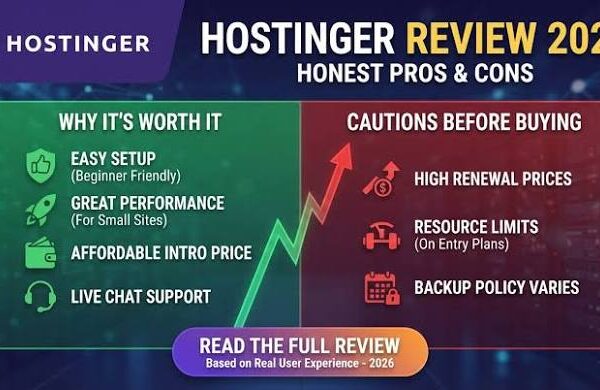
If you are looking for the best value, check out my Hostinger Review 2026 for Beginners. It explains how the performance and features stack up for new users.

How to Get Free Domain with Hostinger 2026
Getting your free domain starts with choosing the correct hosting term. You must select a plan for at least 12 months. Monthly plans do not include a free domain name registration for the first year.
Once you complete your purchase, log in to your Hostinger hPanel dashboard. You will see a banner at the top of the screen. It invites you to claim your free domain right away.
Click the “Claim domain” button to open the registration tool. Type your desired name into the search bar. The system will check if the name is available for you to use for your new website.
If the name is free, click the “Claim” button next to it. You will then need to provide your contact details. This information is required by ICANN to verify who owns the website address.
Which Hostinger Plans Include a Free Domain?
Not every Hostinger plan comes with this deal. The entry-level “Single” or “Starter” shared hosting plans usually exclude the free domain offer. You need to upgrade to at least the Premium plan to get it.
The Premium plan is the most popular choice for personal blogs and small sites. It allows you to host multiple websites and gives you enough storage for most projects. It is a very balanced option.
For faster speeds, the Business plan uses NVMe Gen4 storage. This plan also includes the free domain. It is better for online shops or sites that get a lot of traffic every single day.
| Hosting Plan | Free Domain? | Best For |
|---|---|---|
| Premium | Yes (12 Months) | Personal Blogs |
| Business | Yes (12 Months) | Small Businesses |
| Cloud Startup | Yes (12 Months) | High Traffic Sites |
If you are unsure which one to pick, read my guide on Hostinger Premium vs Business Hosting Plan 2026. It breaks down the technical differences in detail for you.
Step-by-Step Guide to Claiming Your Domain
First, visit the Hostinger official website and choose a hosting plan. Make sure you select the 12-month, 24-month, or 48-month billing cycle during the checkout process.
Complete the payment and set up your hosting account. You will be asked to choose a data center location. Pick the one closest to your target audience for the best loading speeds in the USA.
After the setup is done, go to the hPanel home page. Look for the “Claim Your Free Domain” section. This usually appears as a pending task on your main dashboard after you first log in.
Enter your preferred domain name and select an extension. Hostinger supports many TLDs like .com, .net, .org, .online, and .tech. Pick a .com extension if you want a professional and classic look for your brand.

Submit your registration details to finish the process. You will receive a verification email from Hostinger shortly after. You must click the link in that email to activate your domain name properly.
Understanding Domain Renewal Prices
The domain is only free for the first year of your hosting subscription. After those 12 months end, you will need to pay the standard renewal rate to keep the name active for your site.
For a .com extension, the renewal price is usually around $19.99 per year. Other extensions like .online or .shop might have different rates. Always check the current pricing table in your hPanel dashboard.
It is smart to set up auto-renewal for your domain. This prevents your website from going offline if you forget to pay the bill. You can manage these settings in the “Domains” section of hPanel.
If you want to save more on your purchase, use the code BPDOMAIN at checkout. This code can give you an extra 10% discount on your total hosting and domain order today.
Free WHOIS Privacy Protection
When you register a domain, your name and address are normally added to a public database. Spammers often use this data to send junk mail or make unwanted sales calls to website owners.
Hostinger includes free WHOIS privacy protection to stop this from happening. It replaces your personal data with generic information from a privacy provider. This keeps your private life hidden from the public web.
Many other hosts charge a yearly fee for this service. By including it for free, Hostinger adds about $10 of annual value to your plan. It is a major benefit for privacy-conscious users.
You can toggle this feature on or off inside your domain settings. I recommend keeping it on at all times. It is one of the easiest ways to protect your digital identity in 2026.
Hostinger Domain TLD List and Standalone Pricing
If you already have hosting, you can still buy domains from Hostinger. They offer some of the cheapest rates for standalone registrations. Some extensions start as low as $0.99 for the first year.
The .com extension is the most popular choice globally. It usually costs around $9.99 for the first year if bought separately. It is the gold standard for businesses looking to build trust online.
| Domain Extension | First Year Price | Renewal Price |
|---|---|---|
| .com | $9.99 | $19.99 |
| .online | $0.99 | $34.99 |
| .net | $12.99 | $18.99 |
| .shop | $0.99 | $39.99 |
Be careful with very cheap extensions like .online or .site. While they cost almost nothing to start, their renewal prices can be much higher than a standard .com address after the first year.
Is Hostinger Good for US Small Businesses?
Small business owners in the USA need fast and reliable hosting. Hostinger uses servers with NVMe storage to ensure your pages load quickly. Fast loading speeds help improve your search engine rankings on Google.
The Business plan is particularly good because it offers daily backups. If you make a mistake on your site, you can restore it with one click. This provides peace of mind for busy entrepreneurs.
You can learn more about this in my article on Is Hostinger Good for US Small Business Websites in 2026? It covers performance and support.
The free domain offer makes it very easy to launch a professional site on a tight budget. You get your hosting, your address, and your security all in one simple transaction.

Setting Up WordPress After Claiming Your Domain
Once your domain is active, you can install WordPress with a few clicks. Hostinger has an auto-installer that handles the technical work for you. It sets up the database and the core files automatically.
You will need to choose a site title and create an admin account. Make sure to use a strong password to keep your site secure. Hostinger also provides a free SSL certificate for all domains.
The SSL certificate adds a padlock icon to your browser bar. This encrypts the connection between your visitors and your server. It is essential for security and for your search engine optimization efforts.
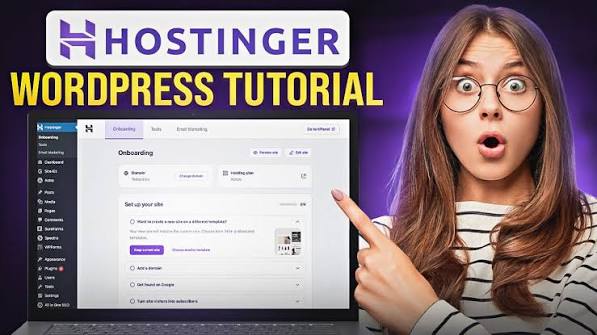
For a full walkthrough, check out my guide on How to Start a WordPress Blog on Hostinger 2026. It takes you through every single step.
Pros and Cons of Hostinger Free Domains
There are many benefits to using the Hostinger domain bundle. The main advantage is the immediate cost savings. You also get the convenience of managing your hosting and domain under one login.
One downside is the higher renewal rate for some extensions. You must be aware of the price jump after the first year. Also, the free domain is only available if you commit to a year.
Pros
- Saves $10-$15 on your first year of website registration.
- Free WHOIS privacy protection keeps your personal data hidden.
- Centralized management within the easy-to-use hPanel dashboard.
- Supports popular extensions like .com and .net for free.
Cons
- Renewal prices for .com are slightly higher than some budget registrars.
- You lose the free domain if you cancel your hosting plan.
- Requires a minimum 12-month hosting commitment to qualify.
Hostinger vs Other Providers
Many people compare Hostinger to Bluehost when looking for a free domain. Both companies offer a domain for the first year. However, Hostinger often has lower monthly hosting prices for their Premium plan.
Hostinger also includes free WHOIS privacy, which Bluehost sometimes charges for depending on the plan level. This makes Hostinger a more cost-effective choice for many beginners starting their first website.
You can read a deeper comparison in my post Hostinger vs Bluehost 2026: Which is Better? It looks at performance and overall value.
If you are looking for even more discounts, keep an eye out for seasonal sales. The Hostinger Black Friday 2026 Deals often feature the lowest hosting prices of the year.
Final Thoughts and Verdict
Claiming a free domain with Hostinger is a smart move for any beginner. It simplifies the setup process and saves you money upfront. The inclusion of free WHOIS privacy adds even more value.
Make sure to choose the Premium or Business plan for at least 12 months. Use the Hostinger promo link to ensure you get the best available price today.
Remember to verify your email address after registering your domain. This step is required by law and keeps your site from being suspended. Once verified, you can focus on building your great website.
Don’t forget to use the coupon code BPDOMAIN at checkout for an extra 10% off. This works on most hosting plans and helps you get started for the lowest possible price in 2026.
Frequently Asked Questions
Is the Hostinger domain free forever?
No, the domain is only free for the first 12 months. After the first year, you must pay the standard renewal price to keep the domain name active for your website.
Can I transfer my free domain to another host?
Yes, you can transfer your domain after 60 days. This is an ICANN rule that applies to all registrars. You will need to unlock the domain in hPanel first.
What happens if I don’t claim my free domain immediately?
You have some time to claim it after buying your hosting. The offer usually stays active in your hPanel dashboard for several months. I recommend claiming it sooner than later.
Do I get a free domain with the monthly hosting plan?
No, the free domain offer is only available for annual plans. You must choose a 12-month, 24-month, or 48-month billing cycle to qualify for the free registration deal.
Which domain extension should I choose for my business?
A .com extension is usually the best choice for most businesses. It is easy for customers to remember and looks professional. Extensions like .net or .org are also good alternatives.